Install Marvin Platform
Marvin Platform is the desktop app for configuring and monitoring Marvin and Marvin Pro arms. You build it from the Marvin SDK and run it with Python.
Choose where to run it
| Option | How |
|---|---|
| Your own PC (Windows or Ubuntu) | Connect your PC to the robot, then follow the steps below on your PC. |
| The robot's Orin or Thor (Marvin Pro) | Open a NoMachine desktop on the Orin or Thor and follow the Ubuntu steps there. If no monitor is plugged in, first set up NoMachine without a monitor. |
You need Python 3.10 or later with Pillow (pip install pillow), plus a C++ compiler: build-essential on Ubuntu (sudo apt install build-essential), or MinGW-w64 with g++ on your PATH on Windows.
1. Download the SDK
-
Open the TJ_FX_ROBOT_CONTRL_SDK repository on the master branch. Check that master is selected: the default branch doesn't contain the SDK.
-
Click Code → Download ZIP, and extract the ZIP to your Desktop.
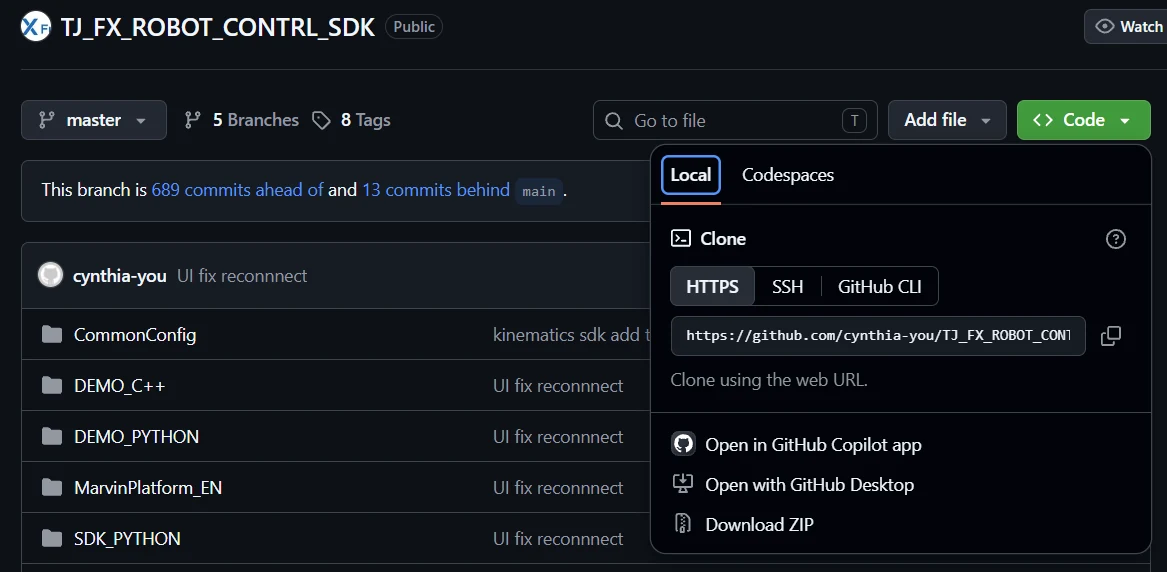
Or clone it instead:
git clone --branch master https://github.com/cynthia-you/TJ_FX_ROBOT_CONTRL_SDK.git -
Open a terminal in the SDK folder:
cd ~/Desktop/TJ_FX_ROBOT_CONTRL_SDK-masterIf you cloned the repository, the folder is
TJ_FX_ROBOT_CONTRL_SDK.
2. Build the SDK
- Ubuntu
- Windows
chmod +x marvinSDK_ubuntu_100343.sh
./marvinSDK_ubuntu_100343.sh
In PowerShell, in the SDK folder:
.\marvinSDK_windows_100343.bat
These scripts are for "43" controllers. For a "41" controller, use marvinSDK_ubuntu.sh or marvinSDK_windows.bat instead. Check your controller firmware if you're not sure.
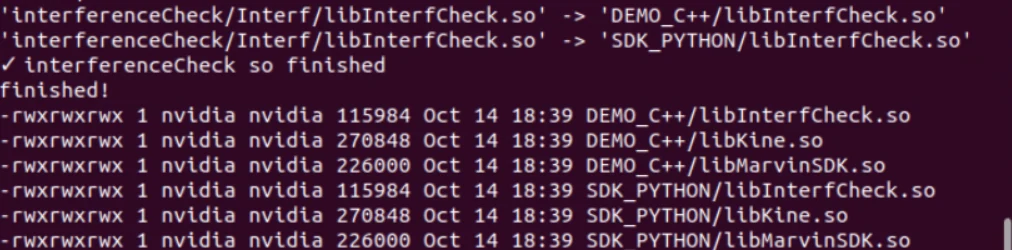
You can ignore warnings during the build. It ends with finished! and a list of the built libraries (.so files on Ubuntu, .dll files on Windows):
3. Set up the configuration files
The SDK's default configuration is for the standard M6S-CCS-696 arm. For any other arm, or to use PD feedforward mode, replace robot.ini and the MvKDCfg file before you start the app.
4. Start Marvin Platform
- Ubuntu
- Windows
cd MarvinPlatform_EN
python3 ui_EN.py
cd MarvinPlatform_EN
python ui_EN.py
Marvin Platform opens. Next, connect to the robot: Connect & read robot status for Marvin Pro, or Connect the host software for Marvin.
Troubleshooting
| Message | Fix |
|---|---|
ValueError: Only supported for TrueType fonts (Ubuntu) | Install the Microsoft core fonts with sudo apt install ttf-mscorefonts-installer. When the installer shows its license screen, select OK, then Yes to accept the EULA (use Tab to move, Enter to select). Then run python3 ui_EN.py again. |
No module named 'tkinter' | sudo apt install python3-tk |
No module named 'PIL' | pip install pillow |
g++ is not recognized (Windows) | Install MinGW-w64 and add its bin folder to your PATH, then run the build script again. |